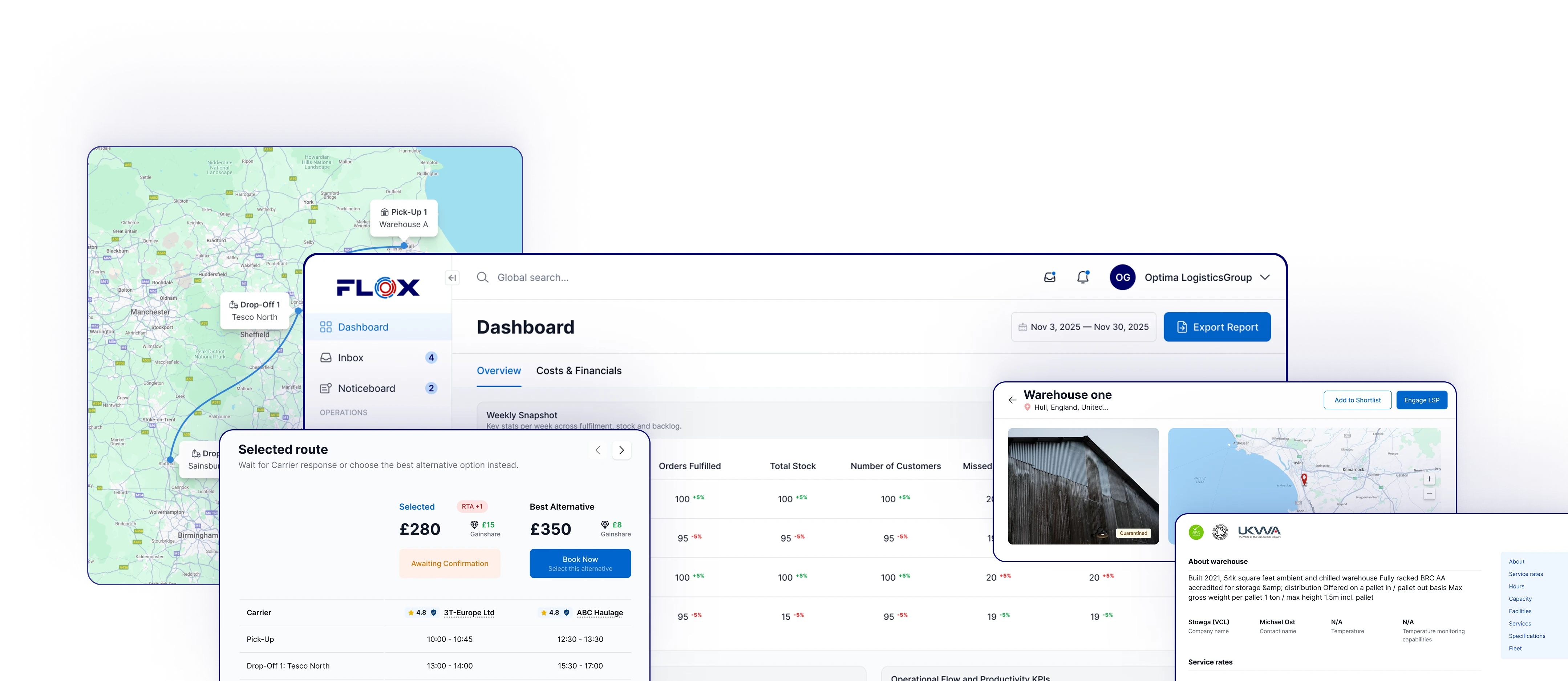
FLOX integrations: ERP, eCommerce, WMS and TMS
FLOX is a marketplace and orchestration platform for multi-party logistics. Connect your ERP, order management, eCommerce, WMS or TMS to it. Or start without an integration and add one when the volume justifies it. Orders, stock, status and invoices then move between your systems and FLOX, for buyers and for logistics providers alike.

Three ways to work with FLOX
Start without an integration. Add one when the volume justifies it. The FLOX team helps with onboarding, integration and initial training.
Manual
Log in and run everything in the FLOX interface: search, book, approve Wingman's proposals, track stock and shipments, see invoices. No integration needed to start.
For buyers: Enter orders and inbound deliveries in the interface and follow them through to delivery. The usual starting point for a first booking, a seasonal overflow or a new market.
For providers: Take bookings and instructions in the interface, confirm receipts and despatches there and raise invoices against the shipments. Your WMS stays as it is.
Integrated
Your systems exchange logistics instructions with FLOX directly. You log in for reporting and approvals; the orders, stock and status flow between the systems.
For buyers: Your ERP, order management or eCommerce platform sends orders and deliveries to FLOX; stock levels, status and documents come back. Add or change a provider without changing the integration.
For providers: FLOX sends bookings and instructions into your WMS or TMS; receipts, despatches, stock and proof of delivery come back. One connection serves every FLOX customer you take on.
Hybrid
Some flows through the integration and some by hand: outbound orders integrated, inbound and payments managed in the interface, for example.
For buyers: Integrate the high-volume flow (usually outbound orders) and manage inbound, returns and payments in the interface until the volume justifies more.
For providers: Take bookings through the integration and handle documents, exceptions or invoicing in the interface. Or the other way round, site by site.
- ERP
- Order management
- eCommerce
- Planning
- Finance

- Marketplace
- Workflows and operational data
- Wingman
- Commercial flow
- MasterData Management
- WMS
- TMS
- Carrier portals
- Driver applications
- Finance
Instructions, status and documents flow both ways: from your systems to FLOX, from FLOX to each provider's systems and back again. You connect to FLOX once and reach every provider you book through it. For providers, one integration with FLOX serves every FLOX customer you take on, so administrative load does not rise with customer count. How FLOX works
Integrate with your sales & e-commerce platforms
Orders placed on your storefront or marketplace reach the FLOX provider that fulfils them. Stock levels and despatch confirmations flow back to the channel. You connect each sales channel to FLOX once, whichever provider does the work and however many you use.

Amazon Seller Central
A global e-commerce platform connecting buyers and sellers, offering cloud computing, AI, and logistics solutions.

Shopify
An e-commerce platform for building and managing online stores with integrated sales and shipping tools.

TEMU
A global online marketplace for competitively priced consumer goods, sourced directly from manufacturers and suppliers.

WooCommerce
An open-source WordPress plugin that turns websites into customizable online stores with product and inventory management.

Magento
A scalable open-source e-commerce platform that offers extensive tools for product management and customer experiences.

eBay
An online marketplace for buying and selling products through auctions or fixed-price listings across various categories.

Etsy
An online marketplace for handmade, vintage, and unique goods, connecting creators with buyers worldwide.

Your Integration
We can integrate with any platform or system, standard or custom.
MasterData Management (MDM)
Clean MasterData: one record behind every channel and every warehouse
MasterData Management (MDM) keeps one agreed description of every product, customer and supplier across the systems that use it. On FLOX that record is the single point of truth between the channels a business sells on and the warehouse and transport systems its providers run. DataCube, a module of Wingman, cleanses it and keeps it reconciled, so the records every party works from agree.
Sales channels: each with its own naming
Oak Dining Chair | Natural
SKU ODC-NAT
Available 240
Solid Oak Dining Chair, Natural Finish
Custom label 0004521
Available 240
1pc Oak Dining Chair Natural
SKU ID 4521
Available 240
FLOX: the single point of truth
MasterData record
Oak dining chair, natural
- FLOX SKU
ODC-NAT-01- Aliases
- 3 channel codes mapped
- Barcodes
- One GTIN per pack level
- Pack chain
- Each, case of 2, pallet of 24
- Each
- 46 x 52 x 92 cm, 7.5 kg
- Stock
- 240 each
Checked by DataCube: complete, no duplicates, units consistent
Logistics providers: one unambiguous item
Item ODC-NAT-01
Receive by pallet (24), store by case (2), pick by each
Barcode scanned at each pack level
Dimensions and weight as on the MasterData record
On hand 240 each (10 pallets)
Every order line resolves to ODC-NAT-01, whichever channel it came from
A single point of truth
One MasterData record for each product, customer and supplier, held on FLOX and shared with the parties who need it, each with its own permissions. Listings, orders and warehouse stock all refer back to it.
Cleansed with DataCube
DataCube checks records for missing fields, format errors, duplicates and units that do not add up, scores their quality and proposes the fix. A person approves each change and the history is kept.
In step across channels
Each marketplace keeps its own titles, codes and conventions. FLOX maps them to the MasterData record as aliases and each field has one system set as its authority, so an order from any channel resolves to the same product and the same stock.
Unambiguous for the warehouse
The warehouse's WMS receives one description of each product: one code, a barcode for each pack level, units and conversions, dimensions and weight. Goods are received, stored and picked against the record they are sold from.
What clean MasterData changes
Fewer lost sales
Stock that is counted once and described once can be sold with confidence: fewer listings held back, oversold or cancelled because two systems disagreed.
Fewer warehouse errors
Goods arrive against a code, a barcode and a pack size the WMS already holds, so fewer deliveries wait on a query and fewer picks go wrong.
New channels and providers without a rebuild
A new marketplace or a new warehouse is mapped to the record that already exists, not rebuilt from a spreadsheet.
DataCube is a module of Wingman (agentic operations layer) and is licensed separately from Core.
Wingman proposes; a person approves.
Connect your WMS and TMS
For logistics providers (warehouse operators, 3PLs, hauliers and couriers), bookings made on FLOX arrive in your WMS or TMS as work to do. Receipts, despatches, stock movements and proof of delivery flow back to the shared record. You connect once. The same connection carries every FLOX customer you take on.

Mintsoft
A cloud-based warehouse management system (WMS) that simplifies logistics, order fulfillment, and inventory management.

CartonCloud
A logistics management software for freight forwarders and 3PL providers to streamline dispatch, warehouse, and tracking operations.

Logiwa
A cloud-based inventory and warehouse management system offering order fulfillment, inventory control, and analytics.

Descartes
A logistics technology provider optimizing route planning, shipment tracking, and compliance for global logistics.

Boltrics
A logistics software offering solutions for warehouse and transport management, optimizing stock, routing, and invoicing.

Mandata
A transport management software for haulage companies that enhances fleet management, scheduling, and real-time tracking.
Your Integration
We can integrate with any platform or system, standard or custom.
Tell Holly what you're looking for
Tell Holly what you need, whether that's warehouse space, a transport quote or a full 3PL partner. She'll shortlist suitable logistics service providers for you.

What moves through a FLOX integration
Five kinds of data move through a FLOX integration, each held against the order or shipment it belongs to, so both sides read the same record with their own permissions.
| What moves | Between a buyer's systems and FLOX | Between a provider's systems and FLOX |
|---|---|---|
| Orders and inbound deliveries | Sales orders and planned inbound deliveries go to FLOX. Despatch confirmations and delivery dates come back. | Bookings and order instructions arrive as work to do. Receipts and despatch confirmations go back. |
| Stock | Product and SKU data is kept in step. Stock by SKU and location comes back, including in transit, allocated and blocked. | Stock movements and counts go to FLOX, so the shared record and the buyer's view agree. |
| Status and exceptions | Shipment status and exceptions reach the people who can act, with the history held on the shipment. | Milestones such as collected, in transit and delivered go to FLOX. Exceptions you can act on come to you. |
| Documents | Delivery notes and other shipment documents go out. Proof of delivery and discrepancy reports come back. | Documents attach to the shipment they relate to and are visible to both sides, each with its own permissions. |
| Invoices and payments | Invoices, credit notes and disputes are held against the shipments. The buyer pays through FLOX. | Your invoices go against the shipments they relate to. FLOX reconciles and settles with you. |
One connection to FLOX, every party on the record
FLOX sits between a provider and many shippers, not between a provider and one. A single integration with FLOX serves every FLOX customer the provider takes on, so onboarding, instructions and invoicing are done once rather than once per customer. The provider keeps the operational relationship and the service reputation. Customers consolidate onto one integration per warehouse, so the warehouse fills capacity it was carrying empty, cuts its per-customer administration and can price more sharply, which draws more volume.
For buyers the same connection reaches every provider booked through FLOX. The warehouse, the 3PL and the carrier work from the same record as you, each with its own permissions. FLOX's API covers custom and proprietary systems; standard connectors cover the platforms listed above. The FLOX team helps with onboarding, integration and initial training.
See what our members are saying
We're helping brands across industries simplify their logistics, and serve more customers.


Swipe to see more testimonials
Integrations FAQ
Answers to the questions we hear most about connecting systems to FLOX. If yours is not here, check the full FAQs page or tell us what you need.
No. You can log in and run everything in the FLOX interface. When you are ready, your systems can exchange logistics instructions with FLOX directly or in a mix of both. The FLOX team helps with the integration. For providers, one integration with FLOX serves every FLOX customer you take on.
ERP, order management and eCommerce platforms on the buyer side (Amazon Seller Central, Shopify, TEMU, WooCommerce, Magento, eBay and Etsy). WMS and TMS on the provider side (Mintsoft, CartonCloud, Logiwa, Descartes, Boltrics and Mandata). FLOX's API covers custom and proprietary systems. Your existing systems stay in place.
Through API connections between your systems and FLOX. Orders, inbound deliveries and product data go in; stock levels, status, documents and invoices come back, each held against the shipment it relates to. Buyers connect their ERP, order management or storefront; providers connect their WMS or TMS. Each party reads the record with its own permissions.
Yes. FLOX sits between a provider and many shippers, not between a provider and one. One integration with FLOX serves every FLOX customer you take on, so onboarding, instructions and invoicing are done once. You keep the operational relationship and the service reputation with each customer.
Yes. Your systems connect to FLOX, not to each provider, so adding a second warehouse, moving a product line or switching provider is a booking on FLOX rather than a new integration project. The new provider works from the same record, with its own permissions.
Yes. FLOX provides an API for connecting your own or proprietary systems where the standard connectors do not cover your stack. The FLOX team helps scope and set up the connection.
Standard connectors to supported platforms are configured within days. Custom API integrations depend on your systems and typically take two to four weeks. The FLOX team helps with onboarding, integration and initial training throughout.


Time is priceless.
Sign up today.